
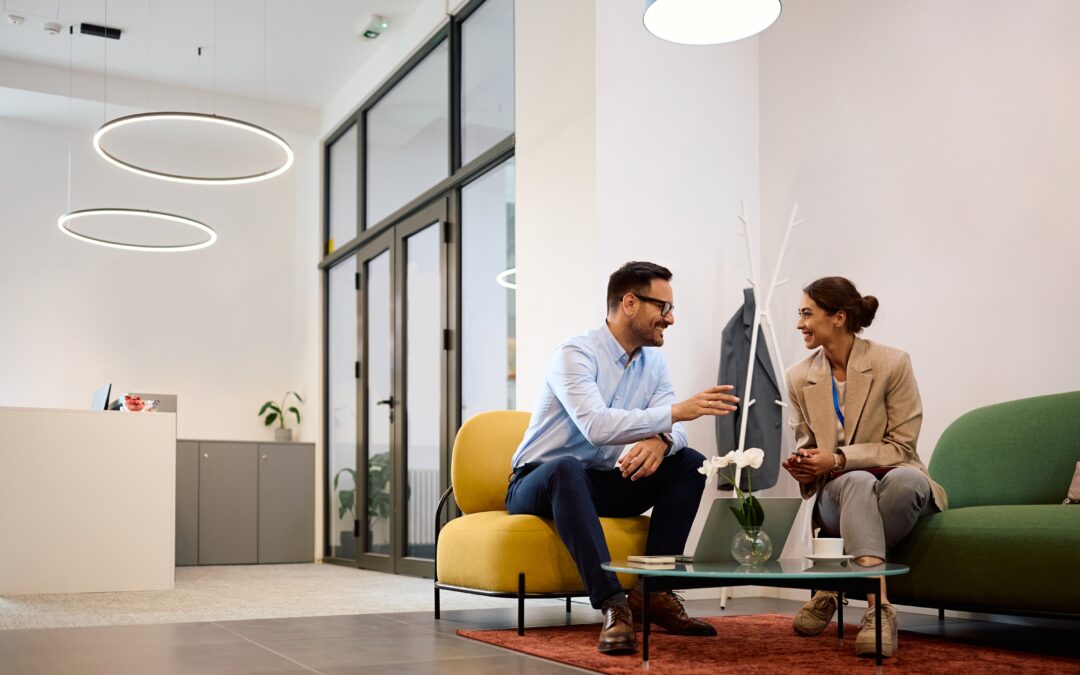
Today’s workday isn’t always 9-to-5 at the same desk. Many teams split their time between home and a shared office, and that calls for a workspace that’s as adaptable as the people using it. A well-planned hybrid office design gives employees the flexibility they need while keeping the office efficient, comfortable, and ready for action.
Let’s look at how the right setup helps your team walk in, sit down, and get productive, no matter what day of the week it is.
Why Hybrid Office Design Matters
Without a smart layout, hybrid schedules can turn an office into a ghost town one day and a game of musical chairs the next. A hybrid office design solves that problem by using unassigned desks, shared work zones, and spaces that can adapt to the day’s headcount. When comfort, connectivity, and workflow are consistent, employees can shift between home and office without losing momentum.
This means:
- No fighting for power outlets.
- No hauling monitors or accessories every time you come in.
- A consistent work setup that feels familiar.
Designing for Shared Use
In a hybrid workspace, open layouts are your best friend. Instead of rows of fixed desks, think:
- Modular seating that moves to fit the group size.
- Mobile storage and screens for quick reconfigurations.
- Dedicated zones by function (quiet areas for focus, open tables for collaboration).
Add adjustable desks and ergonomic chairs throughout so everyone can tweak their station to their liking. Additionally, using desk-booking tools helps avoid overcrowding and makes it easy for staff to plan their day.
Shared Zones vs. Assigned Workstations

Traditional fixed desk setups waste space on slow days and cause chaos on busy ones. With activity-based zones, employees can choose:
- A quiet corner for deep thinking.
- A group table for brainstorming.
- A small pod for video calls.
This flexibility supports both solo productivity and lively collaboration, and it keeps the office feeling alive without being overcrowded.
The Power of Adjustable Furniture
Electric height-adjustable desks and ergonomic seating are game-changers for a hybrid office design. One person can sit in the morning, stand in the afternoon, and then hand the desk off to someone who adjusts it to their own height and preferences.
Pair these desks with chairs that offer:
- Adjustable lumbar support
- Variable armrest height
- Customizable seat depth
Monitor arms, keyboard trays, and footrests round out the setup so every user is comfortable from the moment they sit down.
Creating Seamless Transitions from Home to Office
Hybrid employees should feel at home in the office. That means matching the high-quality ergonomics and tech setup they’re used to at home. Feeling like you’ve significantly downgraded when you get into the office can affect productivity. Docking stations, dual monitors, and familiar accessories make the transition smooth.
Other ways to make it easy:
- Lockers or secure storage so staff can leave equipment onsite.
- Custom workstation options so employees choose the setup that best matches their workflow.
Collaboration Zones That Bring People Together

When hybrid teams meet in person, collaboration spaces should make it worth the trip. That might include:
- Huddle rooms with movable tables and integrated power.
- Soft seating areas for informal chats.
- Rolling or portable whiteboards and writable glass walls for spontaneous brainstorming.
Focus Rooms for Distraction-Free Work
For those who need uninterrupted concentration during office days, sound-masked focus rooms are a must. Comfortable seating, plug-in desks, and adjustable lighting help employees get into the zone quickly. These spaces are ideal for tasks that require deep thought, complex problem-solving, or uninterrupted creative work. By separating focus rooms from high-traffic areas, you reduce background noise and distractions. Having a clearly designated “quiet zone” also signals to colleagues that someone inside is in concentration mode, which helps protect valuable work time.
Supporting Success with Simple Policies
It can help employees to have quick guides on how to adjust desks and chairs as well as clear expectations for booking workspaces, wiping down desks, and storing personal items. Posting these reminders in visible areas reinforces the rules without micromanaging. Consider building in a short orientation for new employees so they know how to use the equipment and reserve spaces effectively. Simple, well-communicated policies create a shared sense of responsibility, keeping the office comfortable and welcoming for everyone.
Building the Right Tech Infrastructure
Reliable network access, universal charging, and USB-C docks at every station keep work flowing. Video-equipped pods and meeting rooms ensure no one is left out, whether they’re in the office or remote. Investing in consistent tech standards means employees can move between workstations without worrying about compatibility issues. Integrated collaboration software, wireless presentation tools, and cloud-based file access help bridge the gap between in-person and remote work.
Measuring Your Hybrid Office’s Impact
Ask employees for feedback to see if things are working will. Review booking data to see which spaces are in demand. Use that insight to fine-tune layouts, expand high-use zones, and repurpose underused areas. Tracking workspace utilization over time helps you see trends in attendance and preferences. Combining this data with direct feedback allows you to make changes that actually reflect how your team works, not just how you think they work. This ongoing adjustment process ensures your hybrid office design stays relevant and valuable year after year.
Why It’s Worth the Investment
Adjustable, shared furniture reduces long-term costs, optimizes your real estate, and boosts employee health and morale. When people feel comfortable, connected, and equipped, they work better, and that’s a win for everyone. A well-planned hybrid office also signals to employees that the company values their well-being and work style, which can improve retention. By creating an environment where productivity and comfort go hand in hand, you set the stage for a more engaged and satisfied workforce.
Make Your Office Work for the Way You Work
Ready to transform your space into a flexible, productive, and welcoming hub for your team? Schedule a consultation with one of our Solutioneers today. Explore our range of adjustable sit-stand desks and ergonomic chairs from trusted partners like Steelcase. Let’s design a hybrid office that’s ready for whatever the week brings.